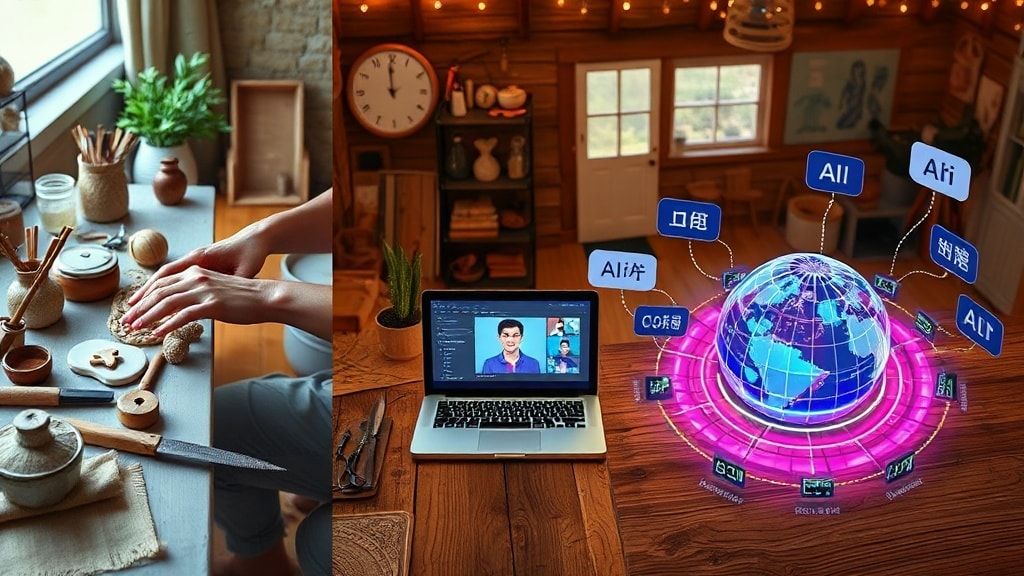
How to Make Money with YouTube Automation Using Synthesia: A Guide for Etsy Sellers
Introduction: The Convergence of YouTube, AI, and E-commerce
The digital landscape is undergoing a seismic shift. For creative entrepreneurs, especially Etsy sellers, the traditional paths to visibility and sales are no longer enough. The modern frontier is video, and the key to scaling in this space lies in automation and artificial intelligence. Imagine creating a steady stream of engaging, professional YouTube videos to market your handmade products, digital downloads, or vintage finds—without ever appearing on camera or spending hours editing. This is the promise of YouTube Automation, and at the heart of this revolution is a powerful tool called Synthesia.
This comprehensive guide will not only show you how to leverage Synthesia for YouTube automation to build a lucrative income stream but will also position it as one of the best AI tools for Etsy sellers looking to dominate their niche.
What is YouTube Automation?
YouTube Automation is the process of creating and managing a YouTube channel with minimal daily, hands-on effort. It involves strategizing, scripting, and then utilizing various tools (especially AI tools) to produce, edit, publish, and optimize video content. The channel owner acts as the creative director and project manager, not necessarily the on-screen talent or video editor.
For an Etsy seller, this means you can run a channel about your craft, your niche (e.g., “Mid-Century Modern Home Decor”), or customer tutorials without it consuming all your precious making-and-shipping time.
Why Synthesia is a Game-Changer for Video Content
Synthesia is an advanced AI video generation platform. Its core function is to create professional-looking videos featuring AI-generated presenters (avatars) who speak your script in over 120 languages and accents. You simply type your text, choose an avatar and a voice, and Synthesia generates a video.
Key Features for Etsy Sellers:
- No Camera, No Mic, No Problem: Overcome the fear of being on camera. Create a consistent, polished brand presence.
- Multilingual Potential: Easily create videos for international markets, expanding your Etsy shop’s reach.
- Scalability: Produce a month’s worth of video content in a single afternoon.
- Brand Consistency: Use custom avatars (a paid feature) to create a recognizable “brand spokesperson.”
Why Etsy Sellers Need to Embrace AI Tools Like Synthesia
The Etsy marketplace is vibrant but crowded. To stand out, you must drive external traffic to your shop. YouTube is the world’s second-largest search engine and a proven traffic driver. Here’s why AI tools are non-negotiable:
- Time is Your Most Valuable Asset: You are an artist, creator, and business owner. AI automates the most time-consuming parts of marketing.
- Competitive Edge: While others are struggling with DIY videos, you can produce a higher volume and quality of content.
- Overcoming Creative Blocks: Use AI to script video ideas, generate voiceovers, and create visuals, keeping your content calendar full.
- Professionalism: High-quality video content builds immense trust and positions you as an authority in your niche.
In the ecosystem of the best AI tools for Etsy sellers, Synthesia serves a specific, powerful purpose: becoming the face and voice of your brand’s video strategy.
Step-by-Step: How to Make Money with YouTube Automation Using Synthesia
Step 1: Niche and Channel Strategy
Your YouTube channel should complement your Etsy shop. Don’t just make videos about your products. Create content that solves problems for your target audience.
- Example: If you sell printable wall art, your channel could be about “Home Office Decor Ideas” or “Affordable Wall Decor Hacks.”
- Goal: Attract viewers interested in your niche, then guide them to your Etsy shop for the solution (your products).
Step 2: Content Planning and Scripting
This is where your expertise shines. Plan video topics based on keyword research (use tools like VidIQ or TubeBuddy).
- Script for AI: Write clear, conversational scripts. Synthesia’s avatars deliver text naturally, so write as you speak. Break down complex steps from your Etsy making process into tutorial scripts.
Step 3: Video Creation with Synthesia
- Log in to Synthesia, create a new video.
- Choose a Template or Start Blank: They offer templates for explainer videos, product highlights, etc.
- Select an AI Avatar: Pick one that matches your brand’s vibe—friendly, professional, quirky.
- Input Your Script: Paste your script into the text boxes. You can break it into scenes.
- Customize: Add background music, upload your own images/video clips (e.g., B-roll of you creating your Etsy products, close-ups of the finished item), text overlays, and logos.
- Generate & Edit: Click “Generate.” Preview and make any tweaks to timing or visuals.
Step 4: Enhancing and Publishing
- Editing: Use a simple editor like Canva or CapCut to add an intro/outro, your Etsy shop link, and end screens pointing to other videos.
- SEO Optimization: Craft a keyword-rich title, description, and tags. Include links to your Etsy shop and specific product listings.
- Thumbnail: Design a compelling, high-contrast thumbnail using Canva. This is critical for click-through rate.
Step 5: Monetization Pathways
- Direct Traffic to Etsy: This is the primary goal. Every video description should have a clear CTA and link.
- YouTube Partner Program: Once you hit 1,000 subscribers and 4,000 watch hours, you can earn ad revenue.
- Affiliate Marketing: Recommend tools, materials, or software you use (e.g., specific paints, crafting software) with affiliate links.
- Sponsorships: As your channel grows in a specific niche, brands may pay for sponsored integrations.
Integrating Synthesia into Your Broader AI Toolkit for Etsy
While Synthesia handles video spokesperson creation, the best AI tools for Etsy sellers form a complete ecosystem:
- For Product Descriptions & SEO: Jasper or Copy.ai can generate compelling, keyword-optimized Etsy listings and blog posts for your website.
- For Visuals & Thumbnails: Canva AI (Magic Write, Magic Design) and Midjourney or DALL-E 3 can create product mockups, branding elements, and stunning video thumbnails.
- For Idea Generation: ChatGPT is invaluable for brainstorming video topics, writing email sequences, and creating content calendars.
- For Audio/Podcasting: Murf.ai or ElevenLabs offer alternative AI voiceovers for shorter social media clips or podcasts.
Synthesia sits at the center of your video content pillar, working synergistically with these other tools.
Best Practices for Success and EEAT
To build a trustworthy, successful channel, you must demonstrate Experience, Expertise, Authoritativeness, and Trustworthiness (EEAT)—a core Google ranking principle.
- Show Your Process: Integrate real clips, photos, and timelapses of you creating your Etsy products into your Synthesia videos. This proves real-world experience.
- Script with Depth: Your scripts must provide genuine value, detailed tips, and unique insights that only a practitioner would know. This establishes expertise.
- Be Transparent: Have your Synthesia avatar say, “As a crafter who runs an Etsy shop…” or use text overlays like “Based on my 5 years of selling on Etsy.” This builds trust.
- Engage Authentically: Respond to every comment on your videos with helpful, personal responses. This builds community and authority.
Potential Challenges and How to Overcome Them
- AI “Robotic” Feel: Choose the right avatar and voice. Use Synthesia’s expressive features, add natural pauses in your script, and always overlay it with your own B-roll and music.
- Cost: Synthesia is an investment. Start with the Personal plan. Factor the cost into your business expenses—it’s a marketing tool.
- Platform Rules: YouTube fully allows AI-generated content as long as it’s valuable and not deceptive. Always add significant human editorial value (your unique scripts, your real product footage, your edits).
Frequently Asked Questions (FAQ)
Can I really make money on YouTube without showing my face?
Absolutely. YouTube automation channels are a legitimate and growing business model. Success depends on the value of your content, your niche selection, and your marketing strategy—not your on-camera presence. Synthesia provides a professional, scalable alternative.
Is Synthesia the best AI tool for creating videos for Etsy sellers?
Synthesia is arguably the best AI tool for creating a consistent, scalable “talking head” or presenter element for Etsy sellers. Its ease of use, quality of avatars, and multi-language support make it uniquely powerful for building a brand narrative. For other video needs (quick social clips, editing), other tools may be more suitable.
How do I drive YouTube viewers to my Etsy shop?
- Clear CTAs: Verbally ask viewers to “Check out the link in the description.”
- Pinned Comment: Place a comment with your shop link and pin it.
- Description Links: Use the first few lines of your description for your key link.
- End Screens & Cards: Use YouTube’s built-in tools to link to other videos or directly to your Etsy shop during the video’s end.
- Value-First Approach: Provide so much free value in your video that viewers are eager to see what products you offer.
Conclusion: Your Automated Creative Future Awaits
The fusion of YouTube Automation and AI tools like Synthesia has democratized video marketing. For the Etsy seller, this is a monumental opportunity. You can now compete with larger brands, tell your unique story at scale, and build a passive traffic engine that fuels your creative business.
By leveraging Synthesia as one of the best AI tools for Etsy sellers in your arsenal, you reclaim your time for creation while systematically building an audience and driving sales. The process requires strategy, consistency, and your unique human touch—but the tools to execute are now at your fingertips.
Ready to transform your Etsy business with AI-powered video?
Start your journey today. Explore Synthesia’s capabilities with their free demo, and begin mapping out your first month of YouTube content. Combine it with other AI tools to create a seamless, automated marketing workflow that allows you to focus on what you do best: creating amazing products for your customers.
Your audience is waiting. Press generate.