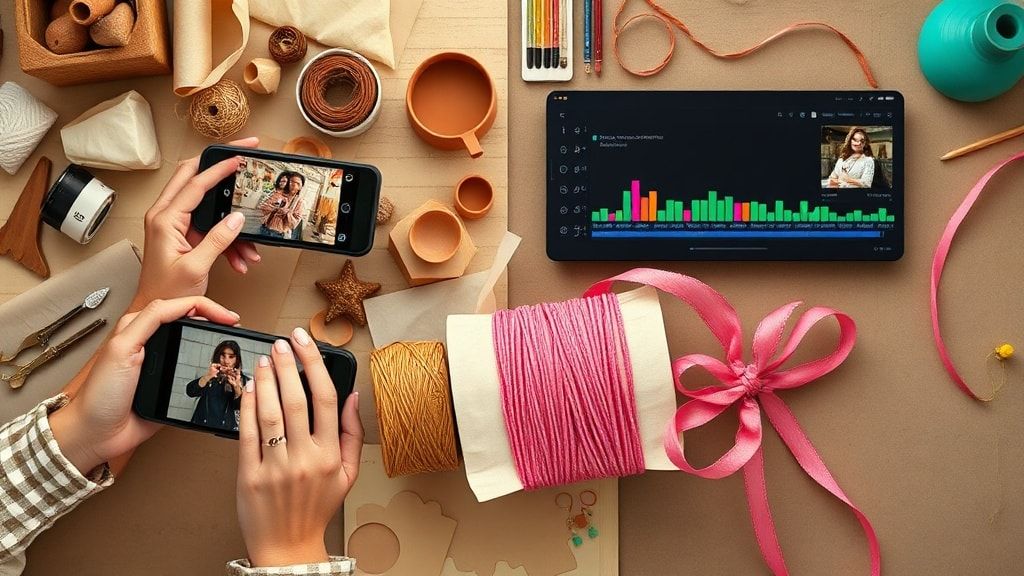
How to Create Viral TikTok Videos Using CapCut: A Guide for Etsy Sellers
Introduction: The Power of Video for Etsy Sellers
In today’s digital marketplace, Etsy sellers are not just competing on product quality—they’re competing for attention. With over a billion active users, TikTok has emerged as a powerhouse for driving traffic, building brand loyalty, and making sales. For creative entrepreneurs, mastering short-form video content is no longer optional; it’s essential. This guide will walk you through how to use CapCut, a powerful and free video editing tool, to create professional, engaging, and potentially viral TikTok videos that showcase your products and grow your Etsy shop.
Why CapCut is the Secret Weapon for Etsy Sellers on TikTok
CapCut, developed by ByteDance (the same company behind TikTok), is uniquely positioned to help creators succeed on the platform. It’s free, user-friendly, and packed with features tailored for the TikTok ecosystem. For Etsy sellers, its appeal includes:
- Seamless TikTok Integration: Direct export options with ideal formatting and trending audio.
- Zero Financial Barrier: A completely free tool with no watermarks on exports.
- Professional Features: Access to advanced editing like keyframing, smooth transitions, and color grading.
- AI-Enhanced Tools: Automated captioning, background removal, and style effects that save precious time.
By leveraging CapCut, you can produce content that stands out in a crowded feed without needing a background in video production.
Step-by-Step: Crafting Your First Viral-Worthy TikTok with CapCut
Step 1: Pre-Production & Strategic Planning
Before you open the app, strategy is key.
- Concept & Hook: Decide in 3 seconds: What will stop the scroll? Is it a satisfying process, an unexpected result, or a solution to a common problem?
- Gather Assets: Film high-quality B-roll of your product—close-ups, in-use shots, packaging. Use good natural light.
- Audio First: Browse the TikTok “Commercial” sound library or trending audio within CapCut. Sound drives trends.
Step 2: Assembling & Editing Your Story
- Import & Arrange: Open CapCut, start a new project, and import your clips. Drag them onto the timeline in a logical order.
- Cut to the Beat: Use the “Snap to Beat” feature or manually cut clips on the beat of your chosen audio for satisfying rhythm.
- Apply Enhancements:
- Color Correction: Use the “Adjust” and “Filter” menus to ensure consistent, bright, appealing colors.
- Smooth Transitions: Add subtle transitions (like “Lens Zoom” or “Fade”) between key moments.
- Text & Captions: Use CapCut’s Auto Captions tool. Edit for accuracy, then style with bold fonts and strategic placement. Add on-screen text to emphasize key points.
Step 3: Leveraging CapCut’s AI Tools for a Professional Edge
This is where CapCut shines for busy sellers.
- Background Remover: Perfect for creating clean, attention-grabbing product shots without a dedicated studio.
- AI Style Effects: Apply consistent, trendy visual filters with one click to make your feed cohesive.
- Voiceover & Dubbing: Use the clear, AI-assisted voiceover tool if you don’t want to film yourself speaking.
Step 4: Optimizing for TikTok & Publishing
- Format: Ensure your project is in a 9:16 vertical ratio.
- Export Settings: Select 1080p resolution and 60fps for the highest quality.
- Final Hashtag & Caption: Before exporting, draft your caption with 3-5 relevant hashtags (mix of niche and broad, e.g., #EtsyFinds #HandmadeJewelry #GiftIdeas).
- Direct Share: Use the “Share to TikTok” button to upload directly from CapCut.
The Best AI Tools for Etsy Sellers to Complement CapCut
While CapCut handles video, other AI tools can streamline your entire creative and business workflow. Here are the best AI tools for Etsy sellers to integrate into your process:
- Canva Magic Studio: For designing cohesive thumbnails, TikTok cover images, and promotional graphics that match your video aesthetic. Its AI “Magic Design” can generate layouts from a prompt.
- ChatGPT or Claude: For brainstorming viral video hooks, writing compelling product descriptions from your video content, and generating endless caption ideas.
- Murf AI or ElevenLabs: For generating high-quality, human-like voiceovers for your CapCut videos if you need a professional narration style.
- Simplified or Pictory: These tools can help repurpose your long-form CapCut TikTok videos into shorter clips, Instagram Reels, or YouTube Shorts, maximizing your content’s reach.
- Descript: An all-in-one editor that works well for polishing audio from your video recordings and creating transcript-based edits, which can be exported to CapCut for final styling.
Advanced CapCut Techniques to Skyrocket Engagement
To truly go viral, you need to master advanced storytelling:
- Before & After Shots: Use split-screen or sharp cuts to showcase the transformation your product offers.
- Satisfying Process Videos: Utilize CapCut’s speed ramping (by pinching the timeline) to create seamless fast-to-slow motion in your making process.
- Text-to-Speech & Stickers: Engage viewers interactively with animated stickers and the playful text-to-speech function.
- Trend Participation: Use CapCut’s template library to quickly adapt the latest trending video format to your niche.
Measuring Success & Iterating Your Strategy
Creating viral content is a cycle of creation, analysis, and adaptation.
- TikTok Analytics: Monitor which videos drove the most profile visits, website clicks (link in bio), and “saves.”
- Content Repurposing: Turn a successful TikTok into a YouTube Short, an Instagram Reel, and embed it on your Etsy listing.
- Listen to Comments: Your audience will tell you what they want to see next. Use their questions as video ideas.
Frequently Asked Questions (FAQ)
Can I use CapCut for free without a watermark for my Etsy business?
Yes, absolutely. CapCut is completely free to use for commercial purposes, and exports do not have a watermark. This makes it an ideal, professional-grade tool for Etsy sellers and small business owners.
What are the best AI tools for Etsy sellers to write descriptions and tags?
For written content, AI tools like ChatGPT, Jasper, or Copy.ai are incredibly valuable. You can input your product details and ask them to generate multiple description versions, keyword-rich tags, and even marketing copy for your social media posts, saving you hours of work.
How can I ensure my TikTok videos actually drive sales to my Etsy shop?
The key is a clear call-to-action (CTA). Verbally and with text, tell viewers what to do next: “Click the link in my bio to shop this,” “Limited stock available,” or “Use code TIKTOK10.” Ensure your TikTok bio link is updated (use a tool like Linktree or Beacons to link to multiple listings) and track traffic using Etsy Stats or Google Analytics.
Conclusion: Your Creative Journey Starts Now
Mastering TikTok with CapCut is one of the most cost-effective and high-impact marketing strategies available to a modern Etsy seller. It allows you to tell the authentic story behind your brand, demonstrate the value of your products, and connect with a massive, engaged audience. By combining the visual power of CapCut with strategic AI tools for Etsy sellers, you streamline your workflow and amplify your creativity.
Ready to transform your Etsy shop’s presence? Download CapCut today, film a quick “Day in the Life” or “How It’s Made” video for your best-selling product, and apply the steps in this guide. Your next viral video—and your next batch of customers—are waiting to be discovered.